The dental and orthodontic marketing fields are more competitive than ever before, so it’s important that your dental practice stays up-to-date on the latest marketing tips and strategies. AI-driven search is adding a new wrench into the competition game, and the rise of corporate dental organizations can squeeze local practitioners out.
My name is Saeed and I, with my team at Nexunom, have helped dental and orthodontic practices with their marketing and advertising needs since 2008. In this post I will go over 5 not necessarily new but maybe less utilized Google Ads strategies you can use in 2026 to improve your ROI from Google ads.
In order to attract new patients, it’s crucial that dentists move beyond basic search ads for the new year. Here are the top 5 Google Ads strategies Nexunom recommends taking advantage of in 2026.
1. Leverage Pmax
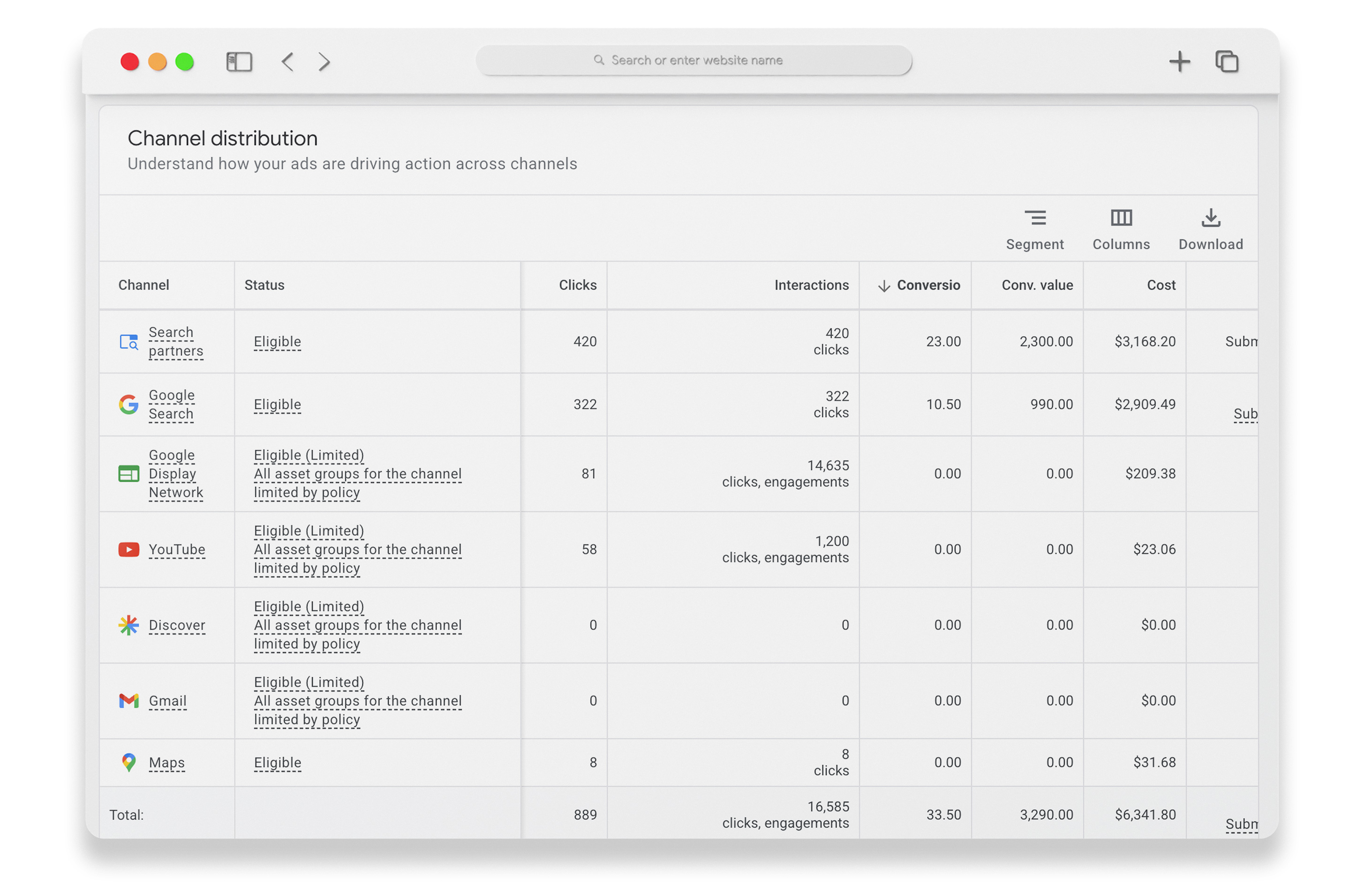
Performance Max campaigns can be very effective for dental practices in 2026, but only if you know how to leverage them to your advantage. Pmax is a keyword-less campaign that works across all of Google’s channels – Search, Display, YouTube, Gmail, Maps – and is configured to find incremental conversions beyond just your primary keyword searches. When run in conjunction with your traditional search campaigns, it can be highly effective. Here are our top tips to make it work for you:
Pro Tip: From marketing point of view, Google’s Pmax campaign is said to drive incremental conversions as its broad, AI driven, cross-channel approach empowers it to “identify”, “reach” and “convert” potential patients across Google’s entire inventory (YouTube, Display, Search, Discover, Gmail, and Maps) who might not been identified, reached or converted by traditional, more isolated, tightly-set campaigns.
Use Pmax alongside your traditional, controlled search campaigns.
PMax is AI-driven, but needs guidance. To leverage Google’s AI, you need to provide clear audience signals. Base these on your current patient demographics, location, and popular services. You can use Audience Signals to feed the algorithm your preferred patient persona data. Then, Google will use this data to find similar patients for you. We recommend setting asset group signals including audience signals and search themes (although Pmax is a keyword-less campaign, you can still set search themes in the assets group signal. If you are an orthodontist, set these themes, orthodontist near me, braces near me, clear aligners near me, Invisalign near me, plus similar “keywords + location” terms. For a dental practice, you set terms like dentist near me, dental implants near me, porcelain veneers, emergency dentist, etc.)
Also, make sure to add comprehensive negative keywords and brand list exclusion, to ensure your ad budget won’t be wasted on clicks from irrelevant terms and competitorss brand names. Pro Tip: Monitor on a daily basis which keywords your ads are getting clicks on and add any irrelevant keyword you find there as negative keywords to your Pmax campaign. We recommend using negative keyword lists to organize your negative keywords by themes so that you can better manage them across different campaigns.
Optimize your asset groups. Make sure to include all the assets group types headlines, long headlines, descriptions, images, videos, sitelinks, call to action, promotions, callouts, locations, structured snippets, prices and promotions. If possible avoid stock images. Instead, use high-quality real images and/or videos to gain patient trust. If you don’t have high quality real photos, use relevant stock photos to bring up your asset groups ad strength score to “Excellent.”
Update: Local Pmax (different than the regular Performance Max type) is a new campaign type that Google has just very recently added. We are still testing it out for a couple of clients, and we will update this post with the results ASAP.
2. Move beyond the center
We’ve found that most dentists set their location target to a radius centering around their office. While in theory this would seem to make sense, it may have you skipping over valuable potential patients. Our tip? Change your center of radius targeting:
Center your target on specific neighborhoods or business districts in your community where your ideal patient lives or works. Why this works: you could be on the edge of a high-income neighbourhood that, if you focus solely on centralizing directly around your physical location, you could be missing out on.
Pro Tip: Remember that people might be searching for a dental office near where they work from where they live or vice versa. That means if you limit your radius targeting to simply x-miles around your office, you might be missing out on patients who live far but work near your practice or the other way around.
Pro Tip: If your account has a long conversion history, run a zip code report and find all the zip codes that you had conversion from and add them as your target locations with positive bid adjustments.
3. Winnow out bot-drive click and lead frauds
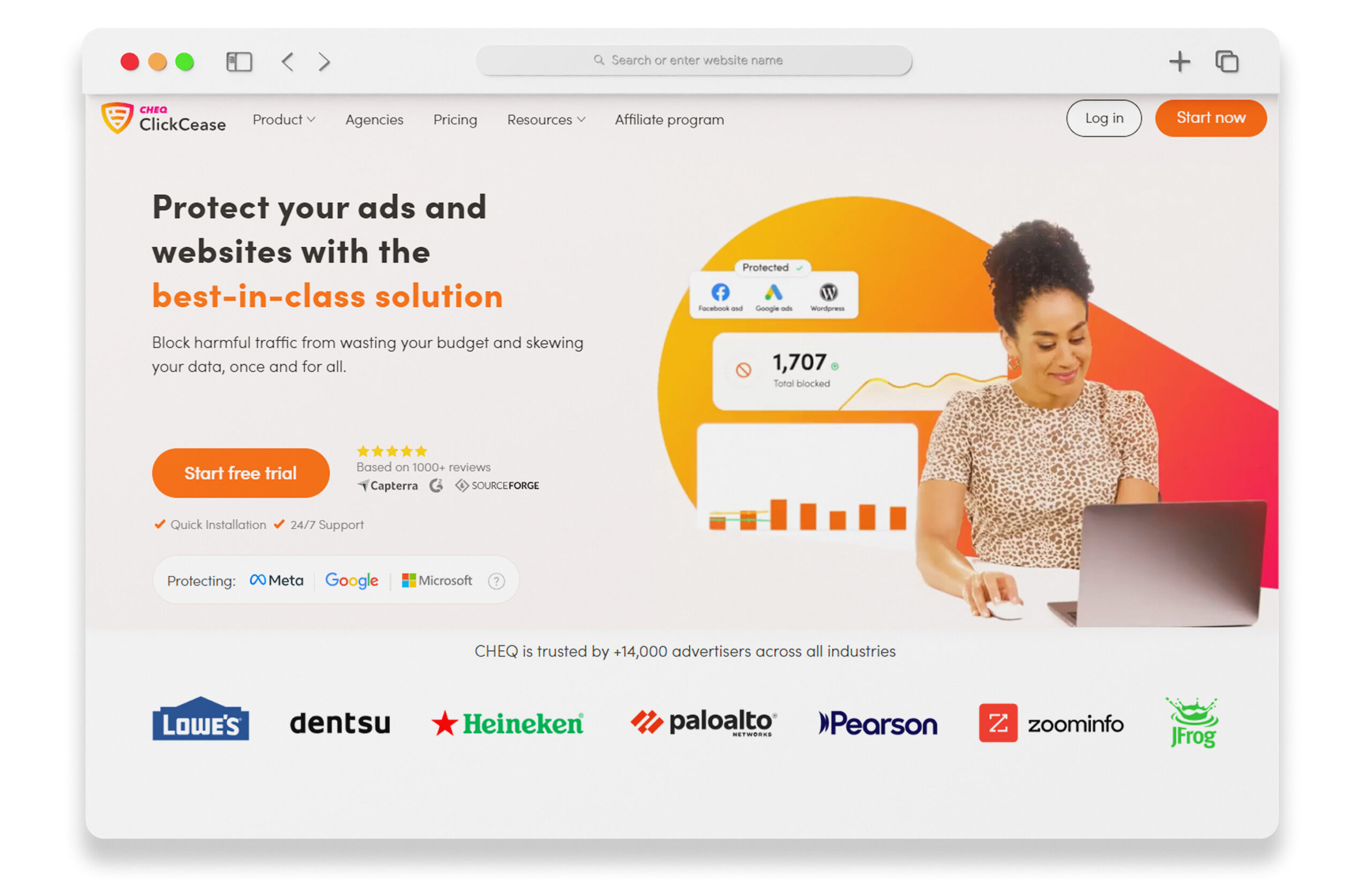
Costs per click continue to rise in 2026, so it’s crucial to weed out the spam clicks that are driving up your costs. Utilize a third-party click fraud solution to monitor your traffic in real-time. Companies like ClickCease or ClickGuard can block suspicious IP addresses (VPN, out of regions, known bots, etc.) and prevent them from seeing your ads. This is important because many practices can see as much as 20% of their budgets wasted on invalid traffic.
Lead form submission fraud in 2026 is an advanced form of click fraud. Google Ads are not only clicked, forms are submitted using the leaked information of real people. These people ar emost likely not in your area and have no interest in your services. This is much more damaging than click frauds because lead frauds will confuse Google ads algorithms and even lead them to optimize your ads to get even more of the irrelevant, spammy form submissions. This not only wastes your ad budget but confuses your front desk system who are in charge of following up with the leads. If you are getting a lot of spam lead submissions from your landing page, contact us and we can set you up with a system that reduces the number of spam lead forms to almost zero.
4. Make Broad Match keywords viable
As AI improves, Google can understand intent better than ever which can make your broad match keywords more effective. However, you still might receive a lot of irrelevant clicks depending on other settings and restrictions you might have or have not set for your ad campaigns. Broad Match keywords are the widest-reaching ad target setting that show ads for searches related to your keyword. This includes synonyms, singular and plural forms, misspellings, and related concepts – even when the actual keyword isn’t present.
For instance, if you were an orthodontic practice and using “braces” as a Broad Match keywords.” When users use search phrases such
frenos para dientes
orthodontist Irvine
accu dental salinas ca
bella shen
bernstein orthodontics
byte aligners
derick phan
derick phan orthodontist
dibs orthodontics
happy dental
kai ortho
meridian dental
myobrace near me
orthodontia
orthodontist san bruno
orthodontist saratoga
perfect smile
smile dental family sunwoo orthodontist
etc.
Your ad could potentially be shown. As you might have noticed among these keywords there are a lot of terms you might not want to waste your budget on like competitor names, vague-intent terms, out of region focused searches, etc.
Our best tips for using Broad Match Keywords are:
Don’t add just any keyword as broad match. Just having a few broad match keywords per ad group suffices. Focus on high intent keywords and group them into tightly themed ad groups. By focusing on specific services, Google algorithm can optimize if a user query indicates a strong intent to book.
Utilize both negative keywords and brand exclusions. My recommendation is to add all your competitors and any other dental practices in an area twice as big as your target area as both brand exclusions and negative keywords. You can even add your own brand terms as negative keywords. Own brand exclusions are important because they can ensure that people who are already familiar with your brand (existing patients, for example) don’t trigger your ads when searching for you by practice name, doctor name, etc. Don’t worry, they can still find you via organic search for free, and you aren’t paying for those clicks.
If using Pmax campaign which are keyword less (so broad match in nature). As discussed above, utilize search themes signals and other audience signals to create lookalike audiences so Google ads and its AI system can understand your ideal patient profile.
5. Use Local Services Ads and Smart Ads
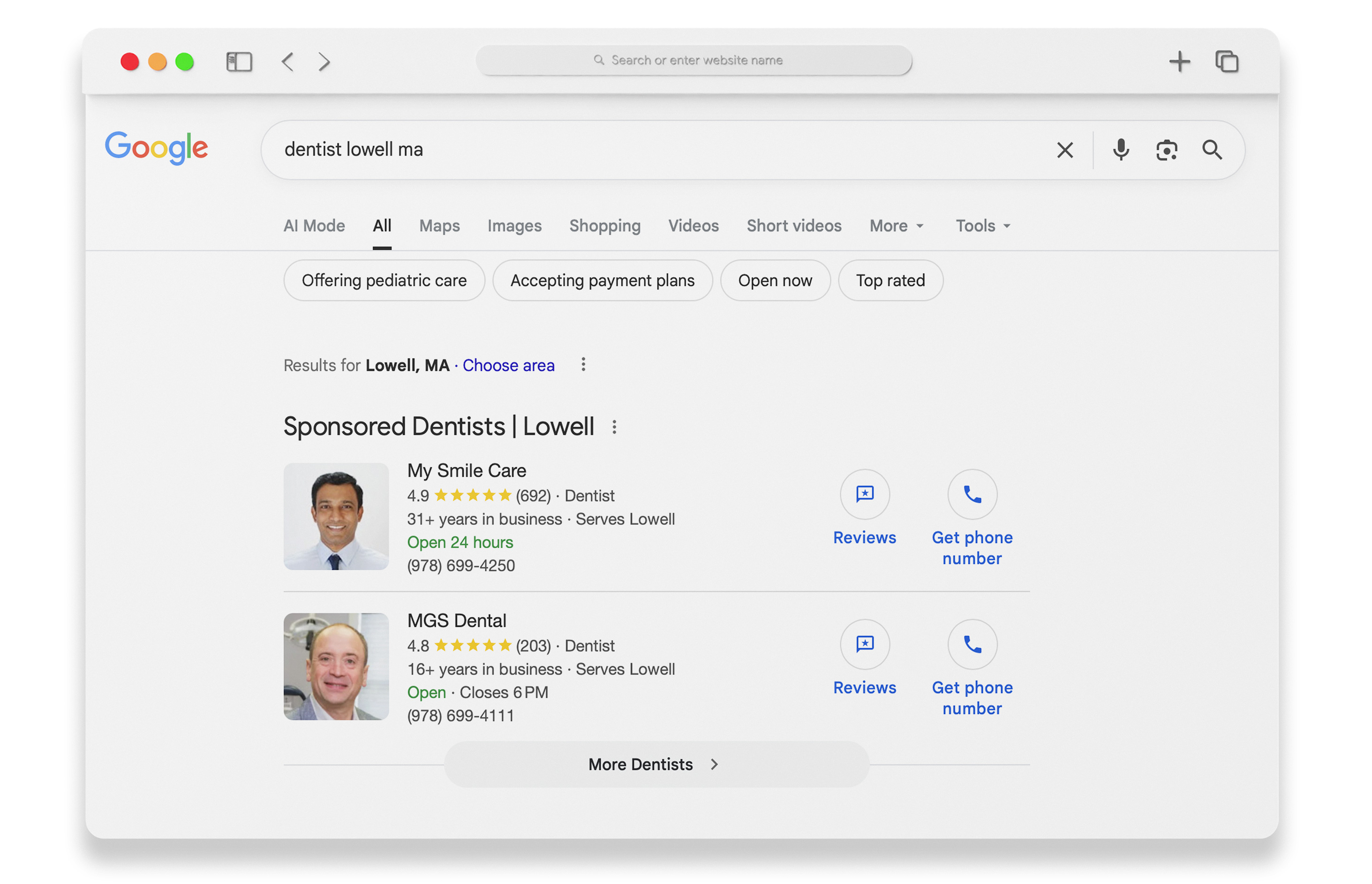
Local Services Ads, if presented, usually appear at the very top of Google search result pages. They may or may not accompany a badge that says license verified by Google, Google Guaranteed or Google screened. Google can show this badge because practices go through a screening process before they can run local services ads. Everything else in the LSA listings is similar to the Google 3-pack local listing (reviews data, practice contact and location data, hours, etc.) so be sure your services and highlights are the things that make your practice stand out (read our LSA for dentists & orthodontists guide to learn more about creating your LSA ads). Specialized services and how many years in business, advanced tech can be great things to add as highlights. LSAs are great because you pay per lead, which means you only pay when someone calls or messages your office, not just clicks. And, the Google Guaranteed checkmark is still a trusted signal for potential patients.
Google also offers a type of campaign called Smart Ads. You can link the Smart Ads to your website or your Google My Business profile as a landing page. You can also run smart ads along with your regular ads under the same account. Smart ads come with limited control over your ads settings and configurations and are used mostly for beginners who want an easy way to run Google Ads by fully relying on Google system itself to run their ads for them. Smart ads, if used with your Google My Business profile as the landing page, can provide a seamless and mobile-optimized experience for your patients. They can see reviews and click to call without ever leaving Google.
If you are still using Smart Ads and would like to switch to more controlled, more effective ads, contact us and we can help you switch over to Search and Pmax campaigns with proper targeting and conversion tracking.
The AI search era is taking over and it affects your Google Ads campaign as much as your organic (non ads) search visibility, but are you ready? The experts at Nexunom are here to help you navigate the dental marketing world in 2026 and ensure you are attracting the high-intent traffic that will convert to patients that actually show up for their consultations or appointments. Work with me and my experienced team and we will help you to take your practice marketing and Google Ads campaign to the next level. Call today at 844-736-3699 or learn more about our services by clicking here.
Online Marketing Expert, MIB Graduate From HEC Montréal and Serial Entrepreneur. Founder/Owner of Nexunom.com, ReviewTool.com, Allintitle.co and Tavata.com. Working in Digital Marketing Field Since 2008.


 Google Ads (PPC)